


TL;DR
- Use digital printing for short runs and litho for large, high-quality campaigns.
- Choose tri-fold, bi-fold, z-fold, or no-fold formats depending on purpose and design.
- Prepare files with templates, 300 dpi images, CMYK colours, bleed, crop marks, and proofs.
- Pick FSC-certified papers and finishes like lamination, foiling, embossing, or die-cuts for impact.
- Saddle-stitch works for up to 40 pages, perfect binding for thicker brochures, spiral for flexibility.
- Keep layouts clean, use strong visuals, and add clear calls-to-action.
- Digital is cost-effective for small runs, while premium papers and finishes build credibility.
- Eco-friendly printing with FSC-certified papers and vegetable inks supports sustainability.
Scrolling online is easy to forget, but a brochure? It creates a lasting impression. The challenge is knowing which printing method, format, or finish will work best. Get it wrong, and even the strongest design can feel flat or unprofessional.
The solution lies in choosing the right brochure or catalogue printing techniques. From digital and litho printing to finishes like foiling and spot UV, small decisions can make a big difference to how your brand is seen and remembered.
In this blog, we’ll guide you through the essentials, from preparing artwork and selecting materials to binding, costs, and sustainability, so you can create brochures that look professional, feel memorable, and deliver real impact.
Which Printing Methods & Brochure Formats Work Best for You?
Choosing the right printing method and brochure format can make or break the impact of your printed document. It’s not just about looks; it’s about cost, practicality, and ensuring you get the full benefits of a brochure and that every part aligns with your brand goals. Let’s break down the options.
1. Digital Printing
Digital printing is the go-to option for short runs, fast turnarounds, or testing a design before a larger campaign. Our modern presses produce crisp colours and sharp detail, even on runs as small as 50–100 copies.
At Ex Why Zed, we also give you the option to order a free test copy, so you can see exactly how your brochure will look before committing to the full batch.
2. Lithographic Printing (Or Offset Printing)
When businesses need thousands of copies with flawless consistency, lithographic printing or offset printing is the go-to technique. The process takes longer than digital, but the results are unbeatable for large-scale marketing campaigns or annual reports.
Litho printing also offers greater control over spot colours and Pantone matching, making it ideal if you want your branding reproduced perfectly across every brochure.
At Ex Why Zed, we use Heidelberg litho presses, which deliver rich, consistent colours across thousands of copies, making them a great choice for corporate brochure printing or catalogues.
What Are the Most Common Brochure Formats (Tri-Fold, Bi-Fold, Z-Fold)?
The way you fold your brochure can affect how readers interact with the content. The most common brochure formats are:
- Tri-Fold: Six panels to work with, making it versatile for storytelling, step-by-step guides, or menus. Wondering how to print a tri-fold brochure without it being upside down? Always double-check your print settings in the print dialog box before hitting go.
- Bi-Fold: Clean and simple, with four panels. A good choice for professional services or real estate listings where large visuals shine.
- Z-Fold: Opens like an accordion, which can make each panel feel like a separate part of the brochure, great for infographics or product showcases.
- No-Fold Options: Some companies prefer brochure printing techniques with no fold to keep things sleek, like a flyer or postcard-style brochure.
How Do You Prepare Your Brochure for Print?

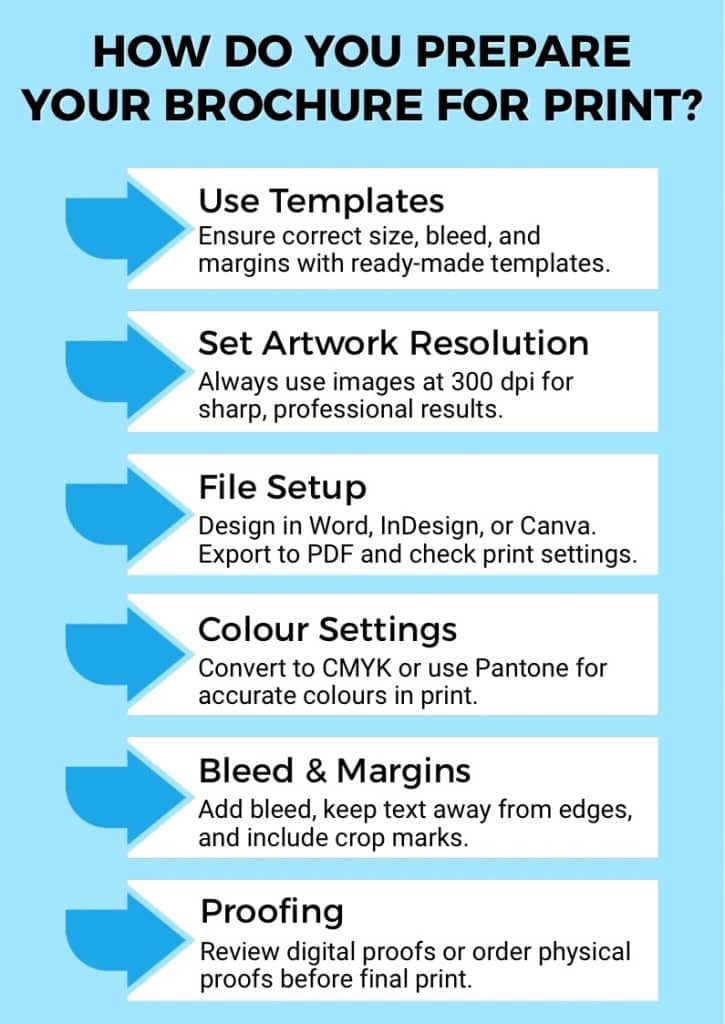
Getting your brochure design right is only part of the journey. Preparing the file correctly before it reaches the press ensures your printed document looks sharp, polished, and professional. Here’s how you can prepare your brochure for print:
1. Use Templates for Accuracy and Ease
Templates ensure your design is the correct size, with bleed and margins already in place. This prevents important details from being trimmed away. At Ex Why Zed, we provide a comprehensive file set-up guide plus free artwork checks. We also offer bespoke sizes and guidance for custom brochure formats.
2. Set Artwork Resolution for Sharp Results
Resolution matters. Low-quality graphics might look fine on your screen, but will appear blurry in print. For brochure printing, images should always be at least 300 dpi. Before exporting, check your artwork carefully so the final printed document is crisp and clear across every part of the brochure.
3. File Setup Options: Word, InDesign, or PDF
Whether you’re using Word, InDesign, or Canva, the basics are the same: correct layout, careful print settings, and previewing in the print dialog box. Exporting to PDF, checked in Adobe Acrobat, gives the most reliable results for printing brochures.
4. Colour Settings That Ensure Accurate Printing
Colours often look different on paper than on screen because monitors use RGB while printers work in CMYK. Always convert your file to CMYK before exporting, or use Pantone references for guaranteed accuracy.
At Ex Why Zed, we provide colour charts so you know exactly how your chosen colours will appear in the final printed brochure.
5. The Role of Bleed, Margins, and Crop Marks
Setting up bleed allows your design to extend slightly beyond the cut line, so there are no unexpected white edges. Margins keep your text and images away from the edge, ensuring nothing gets trimmed by accident. Crop marks guide our team to cut your brochure precisely, keeping the layout clean and professional.
Watch our quick guide on how to set up 3mm bleed for print to make sure your brochure artwork is print-ready.
6. Proofing Options Before the Final Print
Proofs catch last-minute errors. Digital proofs are quick and affordable, while physical proofs show exactly how your brochure will look once it comes off the printer. To make the process even easier, we also offer a free file check at Ex Why Zed, so you can be confident your artwork is print-ready before we hit the press.
Which Materials, Finishes, and Binding Options Will Make Your Brochure Stand Out?

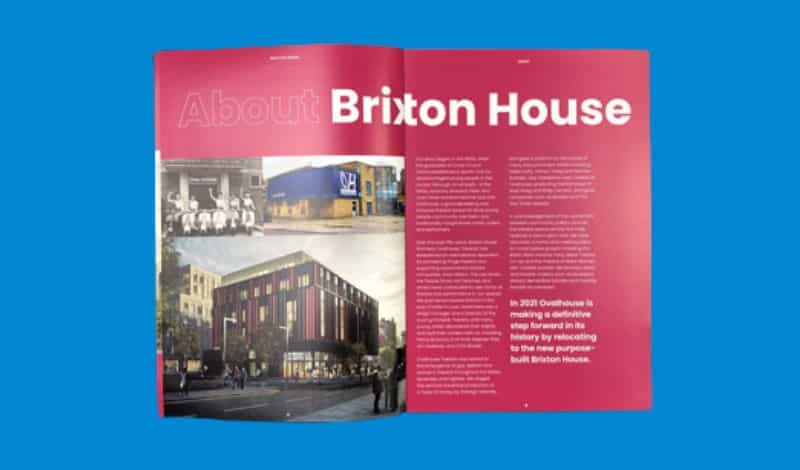
The paper, finish, and binding you choose are just as important as the design itself. These elements affect how your brochure feels in the hand and how your brand is remembered.
What Paper Stocks and Sizes Work Best for Brochures?
At Ex Why Zed, we print in standard UK sizes such as A5, A4, and square formats, but bespoke dimensions are always possible if you want to stand out. For inside pages, we usually recommend 100–170 gsm, while covers look best on sturdier 300–350 gsm stock.
You can choose between silk, gloss, or uncoated papers, depending on the style you’re going for. For high-end projects, we also stock premium ranges like GF Smith, which add a tactile, luxury finish. And because sustainability matters, all our papers are FSC-certified, with recycled options available for greener printing.
How Do Different Paper Weights and Textures Affect Quality?
Paper weight changes the feel of your brochure. A lighter stock gives flexibility and affordability, while a heavier stock feels more durable and professional. Textures also play a role; smooth silk finishes offer clean colour reproduction, while uncoated stock has a more natural, tactile look that works well for artisan or eco brands.
Which Finishing Techniques Add the Most Impact?
The right finish can make your brochure unforgettable. We offer:
- Lamination – Matt, gloss, soft-touch, or anti-scuff for protection and feel.
- Spot UV – Glossy highlights that draw attention to logos or key text.
- Foiling – Metallic or coloured foils for luxury appeal.
- Embossing and Debossing – Raised or recessed effects for texture.
- Die-Cutting and Fold-Outs – Interactive elements that engage readers.
These techniques add personality, turning a simple brochure into a powerful marketing tool.
When Should You Add Utility Options Like Perforation or Hole Punching?
Not all brochures are purely visual; some are designed to be practical. That’s where utility options help. Perforation is perfect for tear-off forms, coupons, or reply slips, while hole punching makes your brochure easy to store in a binder. These small touches add usability without compromising design.
What Binding Options Should You Choose for Your Brochure?
The binding you choose depends on the size of your booklet and the impression you want to make:
- Saddle-stitched (stapled along the fold) works best for brochures up to around 40 pages.
- Perfect binding gives a polished, spine-bound look for thicker brochures.
- Spiral or specialist bindings offer flexibility and a unique finish when you want something different.
What Design and Cost Considerations Should You Keep in Mind?
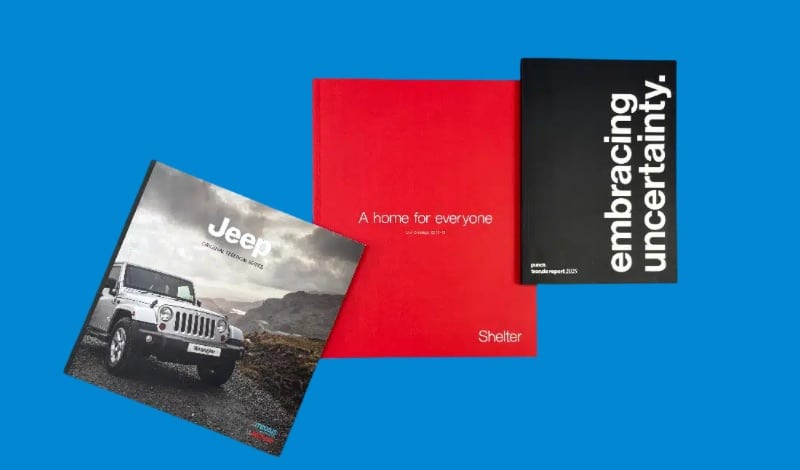
When it comes to brochure printing, design and budget are closely linked. A strong layout makes your message clear, while smart choices on paper, finishes, and print runs keep your costs under control.
How Can Smart Design Make Your Brochure Stand Out?
The way your brochure is designed has as much impact as the message itself. A strong layout guides the reader’s eye, reinforces your brand, and makes information easier to digest. To create a brochure that feels both professional and engaging, keep these design principles in mind:
- Keep a clean, brand-consistent layout with fonts, colours, and imagery aligned to your identity.
- Use high-quality images; low-resolution or pixelated graphics weaken the impact of your design.
- Balance text and visuals so the reader isn’t overwhelmed.
- Include a clear call-to-action (CTA) on every part of the brochure, whether it’s a web link, QR code, or contact details.
- Consider how the brochure will be experienced in real life: does it fold out into a sequence that tells a story?
- Ensure each page of a booklet flows naturally into the next, keeping your message clear and engaging.
What Key Costs Should You Factor Into Brochure Printing?
Brochure printing costs vary depending on a few key decisions:
- Print Run Size: Digital printing is cost-effective for small batches, while litho printing works out cheaper per unit for larger runs.
- Paper, Finish, and Binding: Thicker paper, premium finishes like foiling, or perfect binding will add to your budget, but they also create a stronger impression.
- Budget-Friendly vs Premium: If you need brochures for a one-off event, a simple saddle-stitched format may be ideal. For corporate catalogues or luxury brands, investing in premium paper and finishes can pay off in credibility.
Get an instant online quote with Ex Why Zed; compare options, customise finishes, and see your final price upfront with no hidden costs.
Why Sustainability Matters in Brochure Printing?
More and more UK businesses are choosing eco-friendly options when it comes to brochure printing. It’s not just about reducing waste, but it’s about showing your customers that your brand cares about the bigger picture. At Ex Why Zed, sustainability is at the heart of how we work.
What Are the Green Printing Trends in the UK?
Across the UK, companies are moving towards greener printing practices. Shorter print runs help reduce waste, while digital printing makes it possible to produce only what you need. Many businesses now request eco papers and finishes as standard for their brochures.
Why Sustainability Appeals to Eco-Conscious Audiences?
Choosing sustainable brochure printing sends a powerful message. For eco-conscious customers, it shows you’re aligned with their values. For businesses, it’s a chance to demonstrate responsibility while still producing brochures that look premium and perform well. With the right printer and materials, going green doesn’t mean compromising on quality.
How Ex Why Zed Uses FSC-Certified Papers, Vegetable Inks, and Recycled Options?
We print every brochure on FSC-certified papers, which means the stock is responsibly sourced. Our litho presses run on vegetable-based inks, producing vibrant colours with less environmental impact. Recycled stocks are also available if you want your printed document to have a lower footprint while still looking professional.
Curious how eco-friendly printing fits into the bigger picture? Explore the Top 10 Print Industry Trends to Watch in 2025.
Your Story, Our Print: How Ex Why Zed Brings Brochures to Life
At Ex Why Zed, brochure printing isn’t just about ink on paper; it’s about helping you tell your story in the most impactful way possible. Whether you need a handful of copies for a local event or thousands for a nationwide campaign, we make the process simple, stress-free, and tailored to your needs.
Here’s what sets us apart:
- Instant online quotes so you can plan your budget with confidence.
- Free templates and file checks to make sure your artwork is print-ready.
- Premium finishes like foiling, spot UV, embossing, and die-cutting for standout results.
- Eco-friendly printing using FSC-certified papers and vegetable inks.
- No minimum order; print one copy or thousands.
- Tracked UK delivery with clear seasonal deadlines.
- A friendly, expert team to guide you at every stage.
From premium lookbooks and catalogues to simple event brochures, we provide the flexibility and quality you need. If you’re ready to turn your brochure ideas into a printed document that makes a lasting impression, contact us today!
Conclusion: Turning Ideas Into Brochures That Work
Brochure printing remains one of the most effective ways to put your brand directly into people’s hands. From choosing between digital and litho printing to selecting the right folds, papers, and finishes, each decision shapes how your message is received.
By preparing artwork carefully, balancing design with cost considerations, and exploring sustainable materials, you can create brochures that look professional, feel memorable, and deliver real impact. In a world of fast digital content, the right brochure printing techniques ensure your story lasts longer than the scroll.
Frequently Asked Questions
Should you print your brochure single-sided or double-sided?
Single-sided brochures work well for quick handouts or posters, while double-sided brochures make better use of space and look more polished. At Ex Why Zed, both digital and litho presses handle duplex printing with ease, giving you flexibility in design and cost.
How do I print a brochure double sided in color from Microsoft Word?
In Microsoft Word, set your document to landscape, select duplex under printer settings, and enable colour printing. Always preview before printing to ensure the layout flows correctly across both sides of the printed document.
What settings do I need to use to print a trifold brochure from a PDF file?
Open the PDF in Adobe Acrobat, choose print, and select the “booklet” or “multiple pages per sheet” option depending on your layout. Make sure bleed and margins are included, and always preview the trifold brochure before printing.
How to print a brochure without it being upside down?
To avoid upside-down printing, check your printer settings for duplex mode. Use “flip on short edge” or “flip on long edge” depending on your design. Test with a sample page before running your full batch of brochures.
How to print a brochure in Word?
In Word, use a brochure template or set custom margins to match your design. Save the file as a PDF for accuracy, then print using duplex if needed. Preview carefully to ensure text and images align across folds.
How to print a brochure in Publisher?
In Microsoft Publisher, start with a brochure template for correct sizing and folds. Save as a PDF for stability, then print using duplex mode if double-sided. This ensures accurate alignment and a professional finish for your brochure.
How to print a brochure on Canva?
Download your Canva brochure as a print-ready PDF with bleed and crop marks included. Open the file in Adobe Acrobat or your printer’s software, select duplex if needed, and preview to confirm the brochure format before printing.